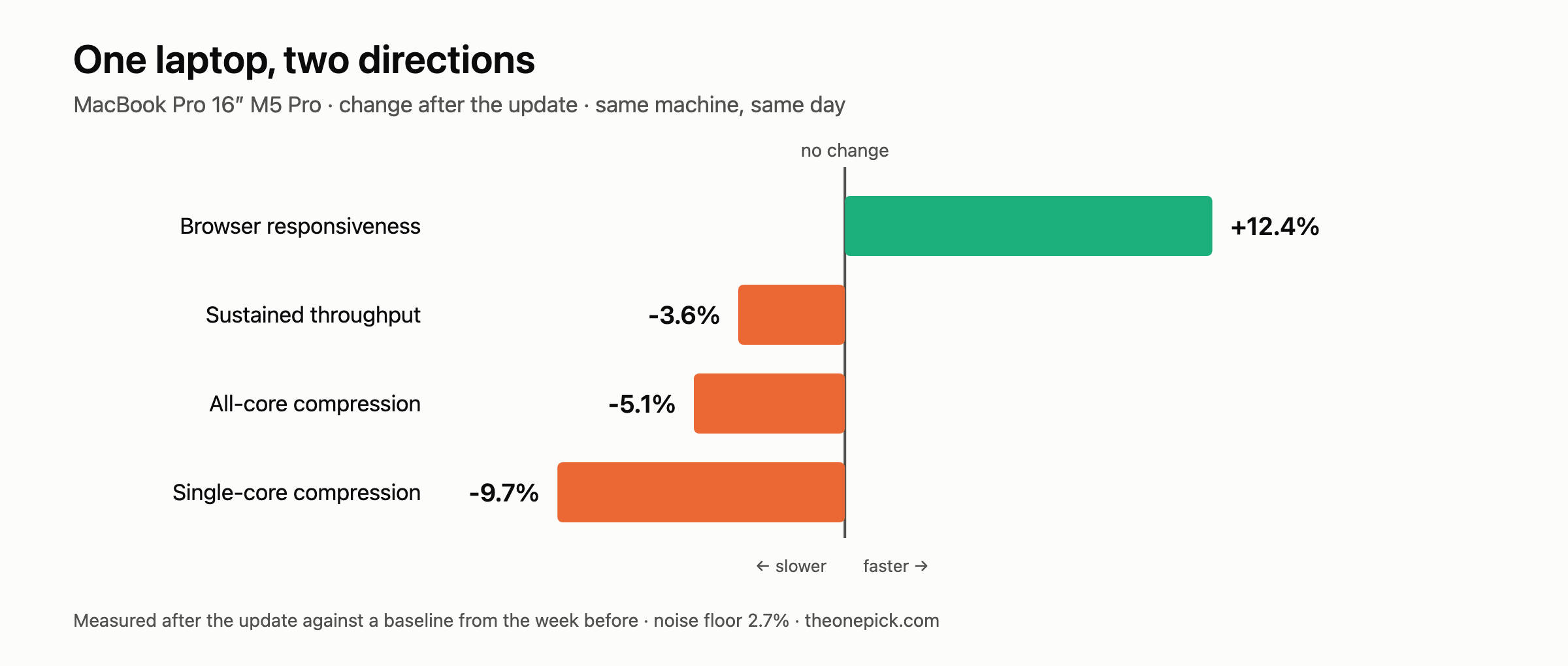
The same update made our MacBook Pro 12.4% faster at browsing and measurably slower at every compute test we ran — by 0.7% to 5.6%. Same machine, same afternoon, same power state. The only thing that changed between the two results was what we asked the computer to do.
That 18 percentage point gap inside one laptop is the most useful thing we found this week, because it explains why coverage of this release contradicts itself.
The two numbers
Our 16-inch M5 Pro, before and after macOS 27:
| Test | Before | After | Change | Its own run-to-run spread |
|---|---|---|---|---|
| Browser responsiveness | 55.0 | 61.8 | +12.4% faster | 2.7% |
| Compression, all threads | 0.392s | 0.414s | 5.6% slower | 5.3% |
| Sustained throughput, 8 min | 1,215 passes | 1,171 passes | 3.6% less work | one session each |
| Software video encode | 3.595s | 3.634s | 1.1% slower | 0.6% |
| Hardware video encode | 3.336s | 3.360s | 0.7% slower | 0.4% |
| Single-core compression | 1.752s | 1.917s | not measurable | 10.5% |
Every row except the last clears its own run-to-run spread, which is the only floor that means anything — a test is only as sensitive as its own repeatability. Single-core compression is the one we cannot report. It moved 9.4%, but three runs of the same test on the same machine differed by 10.5% on their own. A change smaller than that is not a result, and we would rather say so than publish the largest number on the page.
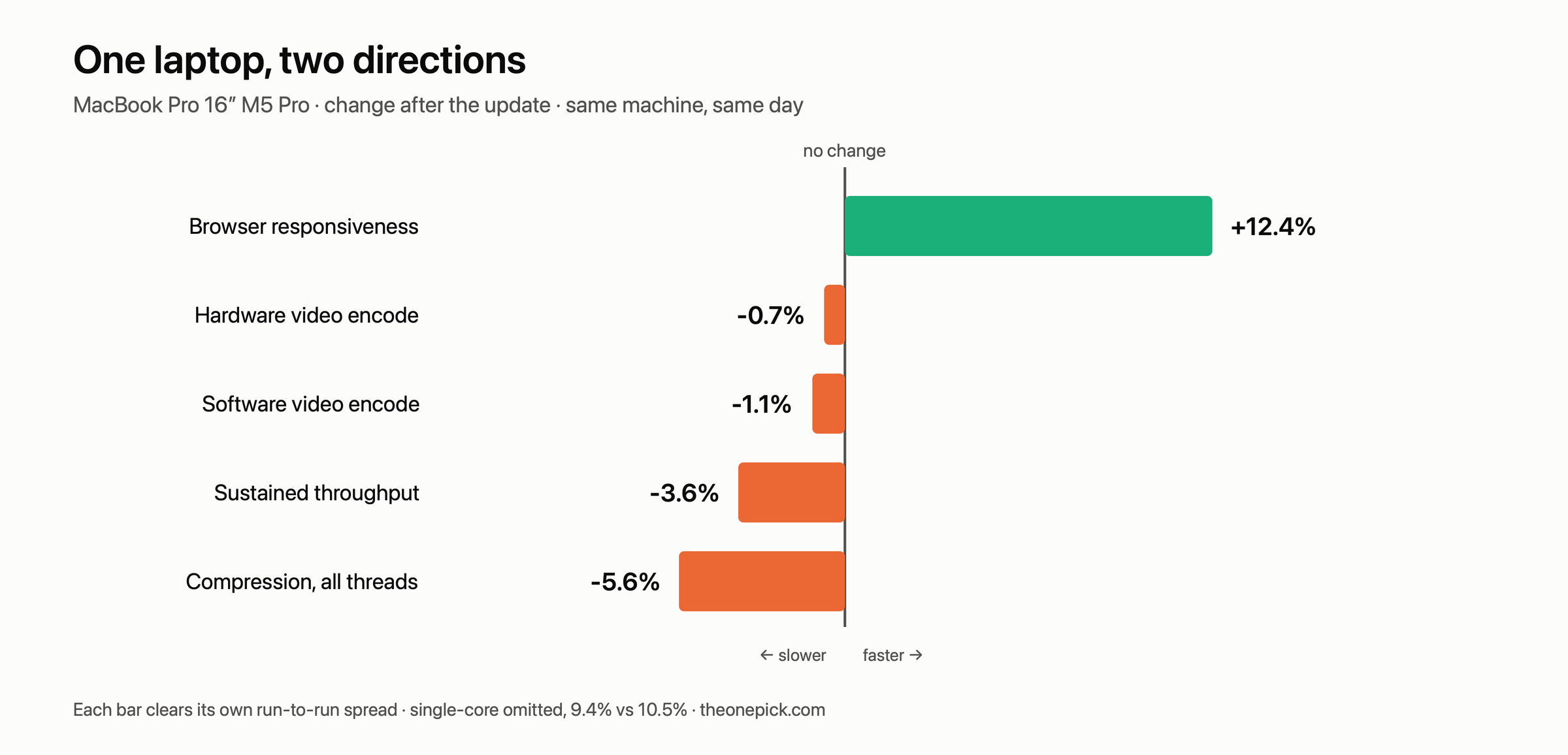
Nothing about the machine changed between these measurements. Same power adapter, same three displays, same applications, same room. We ran the browser test and the compression test hours apart on the same day and got results pointing in opposite directions.
It happened on a second machine too
A single laptop behaving strangely is a story about that laptop. So here is our 2021 MacBook Pro, which we also measured before and after:
| Test | Change |
|---|---|
| Browser responsiveness | +8.7% faster |
| All-core compression | 1.2% faster |
| Single-core compression | no measurable change |
| Software video encode | 1.9% slower |
Smaller gap — about 10 percentage points rather than 18 — but the same shape. Browser up, computation flat or down. We did not record run-to-run spreads on this machine, so treat its 1% and 2% rows as direction rather than magnitude.
Our third Mac, a 14-inch M4 Pro, gained 4.3% in the browser and lost 7.1% on all-core compression. Three Macs, three generations, the same split.
Why this is not a contradiction
If you have read one article saying the update is a performance win and another saying it made machines slower, both may be right. They measured different things.
Look at what the manufacturer actually claimed. The published figures concern app launch times, how fast photos load in a library, and AirDrop transfer speed. Those are system-level operations — file handling, indexing, inter-process work, the paths an operating system controls directly.
Nothing in that list is raw arithmetic. Compression and video encoding are almost pure computation: the operating system hands the work to the CPU and largely stays out of the way. There was never a claim that those would improve, and on our hardware they did not.
The release appears to have improved the parts of performance the operating system owns, and left — or slightly cost — the parts it does not. That is a coherent outcome, and it means “is it faster?” has no single answer.
Which number applies to you
If your day is browsers, mail, documents and messaging, the browser row is the one that describes your experience. Every device we tested improved, between 4.3% and 24.9%.
If you compile, compress, encode or render, the compression rows are closer to your work. Two of our three Macs measurably lost ground. Not enough to change what you can do — 1 to 7% is a few seconds on a minute-long job — but the direction is not the one the coverage implies.
If you do both, you will probably feel the browser improvement more. Interface responsiveness is something you notice hundreds of times a day; a batch job finishing 7% later is something you notice once.
What we did not establish
- We do not know the mechanism. A plausible explanation is that scheduling changes favour short, bursty, interactive work at some cost to sustained throughput. We did not measure per-core scheduling behaviour, so that remains a guess, and we are labelling it as one.
- One unit per configuration. Three Macs is three machines, not a sample.
- Different starting versions. Our M1 Pro came from an older point release than the other two, so part of its change could be software we skipped over.
- The M4 Pro’s compute figures were unstable. Two measurement sessions on the same day differed by 9.5%, with run-to-run spreads reaching 15%. We report its all-core result because that one was tight; its single-core result we treat as unmeasurable.
- We measured two categories. Browser responsiveness and CPU-bound batch work. Graphics, machine learning, disk throughput and battery life are all untested here.
Corrections
The row labelled all-core compression is mislabelled. That command enables every thread but, as we measured afterwards, it keeps only about a third of an 18-core machine busy — it is disk-bound for the rest. The timings are right; the description is not. Read that row as “compression with all threads enabled”, which is a narrower claim.
We cannot restate it as a true all-core figure, because the file that produced these timings was generated on the machine and not kept, and without the identical input a fresh set of numbers would not be comparable. The direction of the finding is unaffected — browser work got faster and compression got slower on the same machine the same afternoon — but the magnitude on that one row describes a partly idle machine.
15 October 2026 — this article applied the wrong noise floor. It reported single-core compression as 9.7% slower and said every row cleared “the noise floor we set for this machine, which was 2.7%”. That 2.7% is the browser test’s floor. Each compute test has its own, and single-core compression’s is 10.5% — larger than the change. The row is now marked not measurable, and the table carries each test’s own spread. Two rows we had called “no measurable change” did clear their floors and are now reported: software encode 1.1% slower, hardware encode 0.7% slower. The headline, the lead and the chart were rebuilt around the rows that survive.
We caught this by re-reading our own raw files against the published page, which is a check we had not been running. It is the exact mistake this site exists to point out, and we made it on our own front page.
How to tell which side you are on
Run the same two tests we did, before and after your next major update.
For the browser half, browserbench.org in Safari, three runs, two minutes apart.
For the compute half, anything repeatable that pins your cores works. We used compression:
zstd -12 -f -q -T0 -o /tmp/out.zst /tmp/bigfile.bin
Run it three times, take the median, and write it down alongside the browser score. After the update, repeat both under the same conditions.
If the two numbers move in opposite directions on your machine as they did on ours, you will know which one describes your work — and you will stop trusting any single article that tells you the update was simply faster or simply slower.
Measured 14-18 September 2026. MacBook Pro 16-inch M5 Pro (48GB/1TB) and MacBook Pro 14-inch M4 Pro (48GB/1TB), macOS 26.6.2 build 25G83 → 27.0 build 26A428. MacBook Pro 14-inch M1 Pro (16GB/512GB), macOS 26.5.1 → 27.0. Speedometer 3.1 in Safari and zstd 1.5.7, three runs each, medians reported.
The pre-update figures for these three Macs come from our generation comparison, measured the week before.