Every September the same worry comes round: the new iOS will make your old phone slow. We had a 2022 iPhone 14 Pro with two measured baselines and a 2026 iPhone 17 Pro with one. Both got faster. The four-year-old phone gained more.
The margin is 4.8 percentage points, and one phone of each is not a sample. But the direction is the opposite of the thing people are afraid of, and we can show why we believe our own numbers.
The older phone, across three versions
Speedometer 3.1 in Safari, three runs per session, median reported.
| iPhone 14 Pro on | Score | Change |
|---|---|---|
| iOS 26.2 | 32.0 | — |
| iOS 26.7 | 32.4 | +1.3% |
| iOS 27 | 40.8 | +25.9% |
The first two rows are the useful part, and they are the reason the third row means anything.
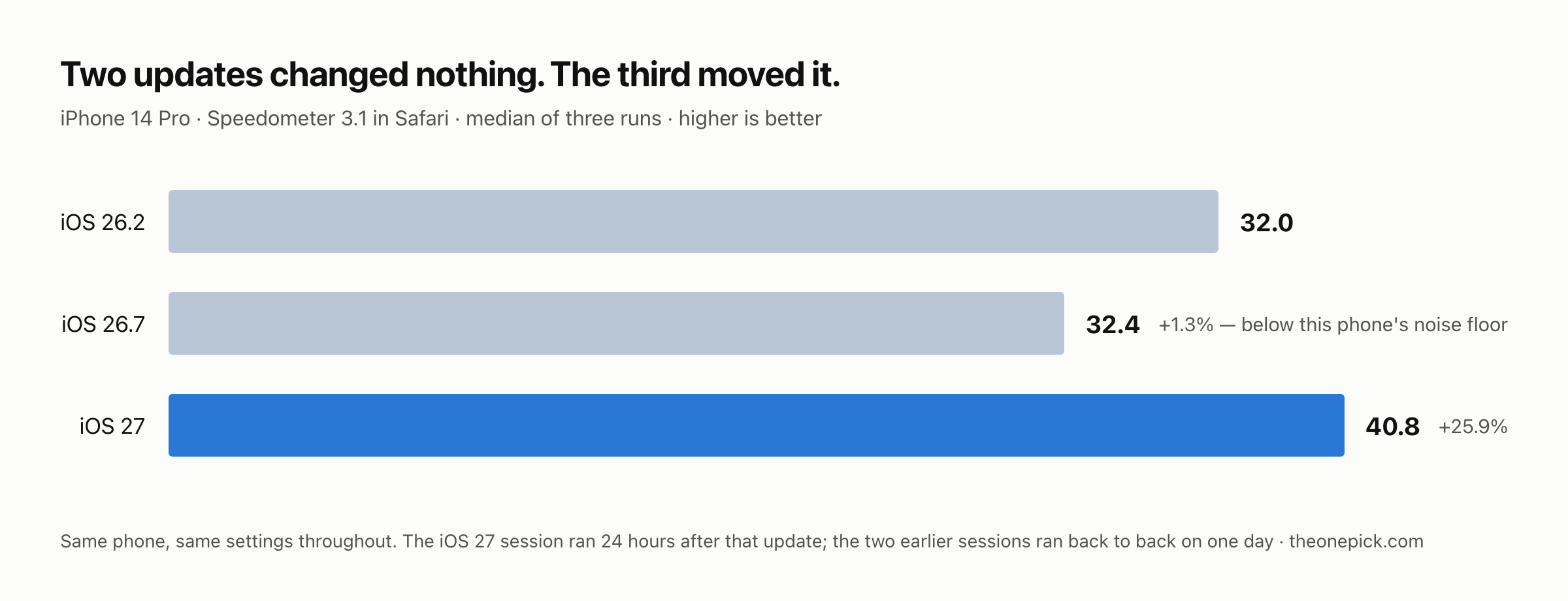
Between 26.2 and 26.7 this phone did not move. It gained 1.3%, and the three runs inside that session varied by 5.1% among themselves. On this device we cannot detect a change smaller than about 5%, so a 1.3% difference is not a result — it is the phone being the same phone twice.
That is what lets us put the third row down to iOS 27 rather than to the battery, the weather or the day. Two consecutive point releases produced nothing we could measure. The major release produced five times our detection floor on the same hardware, in the same room, with the same settings.
Against the new phone
| Phone | Before | After | Change |
|---|---|---|---|
| iPhone 14 Pro (2022) | 32.4 | 40.8 | +25.9% |
| iPhone 17 Pro (2026) | 43.2 | 52.3 | +21.1% |
In absolute terms the new phone is still well ahead — 52.3 against 40.8, about 28% more work in the same time. Nothing here says a 2022 phone now matches a 2026 one. What it says is that the update cost the older phone nothing and handed it slightly more than it handed the newer one.
We do not know why, and we are not going to invent a reason. Three explanations are plausible and we separated none of them: older hardware may have more room to recover from software inefficiency; the two phones started from different versions (26.7 against 26.6.2); and the browser engine’s changes may land differently on different silicon. We measured the outcome, not the mechanism.
For the newer handset on its own, with the full timeline of how the gain grew, see should you update your iPhone 17 to iOS 27.
Why we measured both phones a day later
This is the part that would quietly break the comparison if we got it wrong.
On the 17 Pro we have three readings taken at different distances from its update: +9.5% at under two hours, +21.1% at twenty-four, +26.2% at forty-eight. The same phone, the same benchmark, the same update — and a number that nearly triples depending on when you look. We wrote that up separately.
So comparing two phones measured at different points on that curve would produce whatever answer we wanted. The 14 Pro was updated between 9:30 and 10:30 one morning and measured the following morning, roughly 24 to 25 hours later. The 17 Pro was updated at 16:33 and measured 23.5 hours later. Both figures above are 24-hour readings.
Where our numbers are weak
- The 14 Pro will not tell us its battery health. The Battery Health screen reports nothing on this unit, and the battery has never been replaced. That means we cannot rule out iOS performance management — the throttling applied to phones whose batteries can no longer deliver peak current. If it were active on this phone, our gain would be a floor rather than a ceiling. We would rather flag that than quietly assume it away.
- One unit of each phone. Two phones is not a sample. Battery condition, storage pressure, installed apps and thermal history all differ between units and we cannot separate any of them from the update.
- The two earlier 14 Pro sessions ran back to back on one day, and we did not record how long the phone had been on 26.7 when we measured it. That reading sits inside the noise of the 26.2 reading either way, so it does not move the conclusion — but it is not the clean 24-hour session the iOS 27 reading is, and we are not going to present it as one.
- One benchmark. Speedometer approximates how quickly a browser handles the work a web app gives it. It says nothing about battery life, camera processing, or how the phone feels in your hand.
How to check your own phone
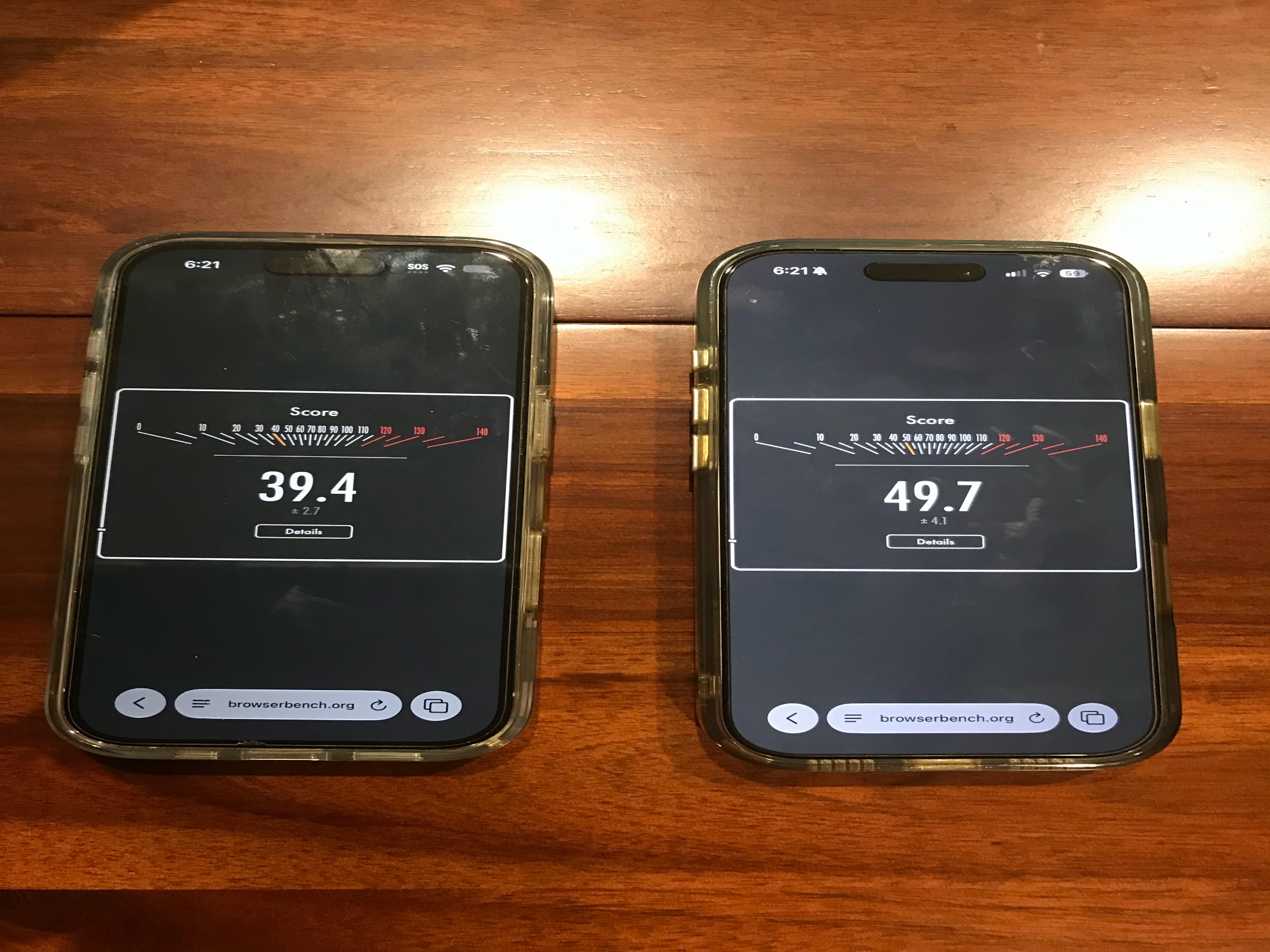
Open browserbench.org in Safari and run Speedometer 3.1. It installs nothing and takes a few minutes.
One number on its own will not tell you much, because you have nothing to compare it against. The useful move is to run it before your next update — three times, two minutes apart — and write the three numbers down. The spread between them is your phone’s noise floor, and any change smaller than that spread is not a change you can claim.
Then run it again a day after you update. Keep the conditions the same both times: off the charger, low power mode off, brightness fixed, other apps closed. Those four things moved our numbers more than we expected when we were still working out how to measure this.
These two phones are part of a larger set — we measured five Apple devices through the same update. See all five.
Measured 17-18 September 2026. iPhone 14 Pro (model MQ003LL/A, iOS 26.2 → 26.7 → 27.0) and iPhone 17 Pro (iOS 26.6.2 → 27.0). Speedometer 3.1 in Safari, three runs per session, medians reported, devices off charger with low power mode disabled and brightness fixed.