Your Apple Watch was left off the watchOS 27 list. It did not stop working, nothing was taken away the morning the update shipped, and the screen still tells you it is up to date. The useful question is not whether to panic — it is what you actually lost, and when that starts to matter.
We have a Series 7 in exactly this position, so this is written from the inside of the problem rather than from a compatibility table.
Who this is about
| Left behind | Still supported |
|---|---|
| Series 6 | Series 9 |
| Series 7 | Series 10 |
| Series 8 | Series 11 |
| SE (2nd generation) | SE (3rd generation) |
| Ultra (1st generation) | Ultra 2, Ultra 3 |
Five models at once, which is roughly three years of hardware retired in a single release. Apple Watch updates usually drop one or two.
What you actually lost
Apple gave a reason on the record, which is more than it usually does. Cait Dooley, its Apple Watch and Health product marketing manager, said the new features “including the capabilities of Siri AI and the new tap gesture, work best with the processing power that is in Apple Watch Series 9 and later, Ultra 2 and later, and SE 3.”
So the headline losses are the new Siri work and the new gesture. Neither of those is something your watch was doing yesterday. You are not losing a capability you had — you are not receiving one you never had, which feels different and is worth separating.
Note the wording, too. It is a claim about which chips run the new features well, not a claim that older chips cannot run them at all. We cannot test that distinction — Apple will not let us install watchOS 27 on a watch it has excluded — so we are flagging the phrasing rather than drawing a conclusion from it.
What you keep
This is the part that gets asserted everywhere and checked almost nowhere, so we checked it on ours — a Series 7 on watchOS 26.6, paired with an iPhone running iOS 27, a full major version ahead of it.
Everything we checked still worked: the Watch app manages it, notifications arrive, sleep tracking records through the night and hands the data to Health, and calls ring on the wrist and can be taken on the watch’s own speaker.
That last one matters more than it sounds. It means the audio path is intact in both directions, not merely that an alert got through. A pairing that had quietly broken would not do any of that.
The question nobody can answer
Security updates keep coming to watches that no longer get feature releases. That is well established and your update screen will keep saying you are up to date.
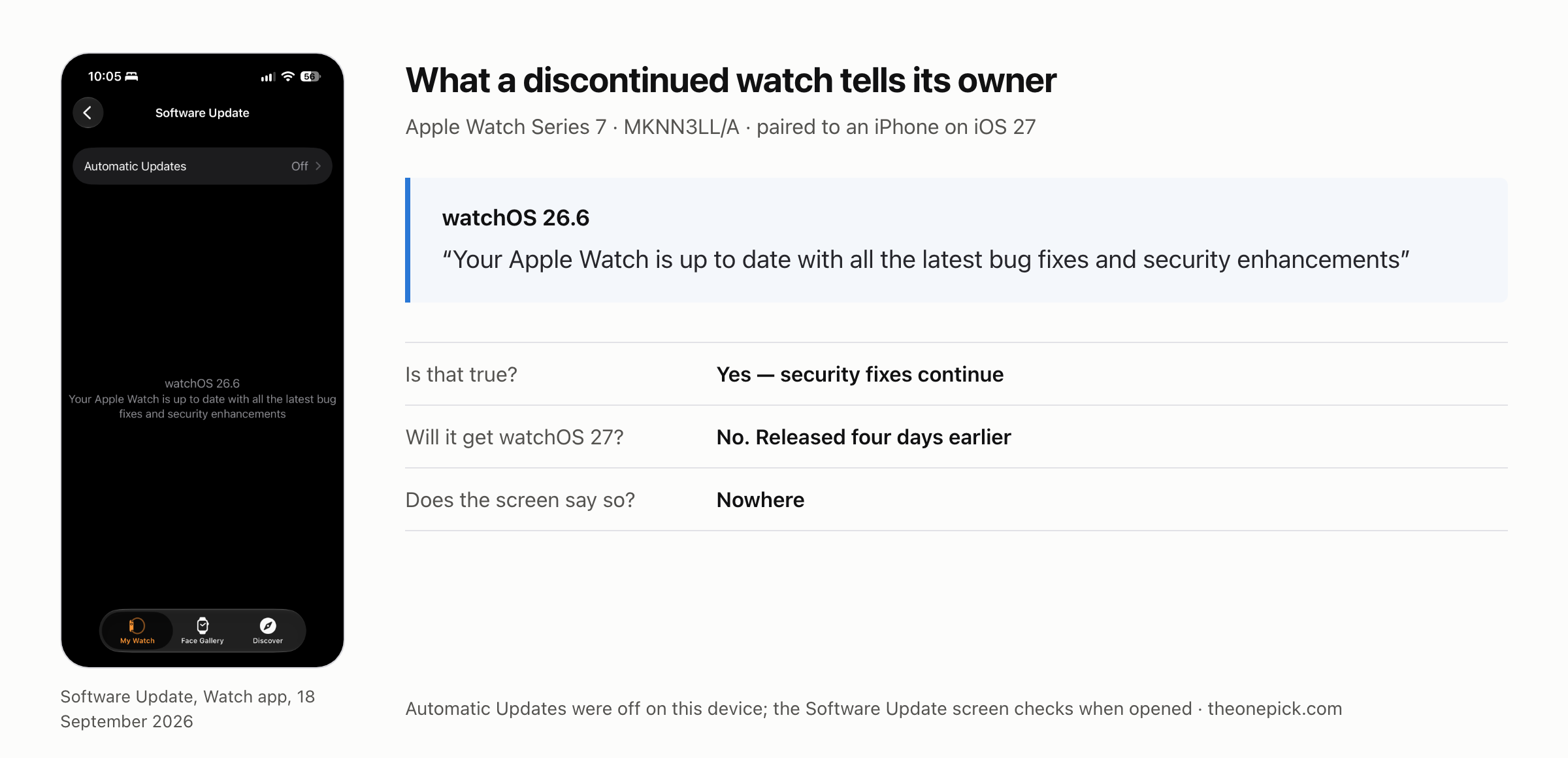
Apple has never published how long that continues. Not a number of years, not a policy page, nothing. Anyone giving you a date for when your watch stops receiving security fixes is guessing, and so would we be.
What we can tell you is the shape of the thing: the watch will go on working, quietly, until something else in the chain stops accommodating it.
When it will start to matter
Not the day it was dropped. Later, and gradually, through a mechanism that has nothing to do with Apple deciding anything about your watch.
App developers choose a minimum watchOS version. While yours is one release behind, almost nothing changes. As releases accumulate, developers start requiring a version your watch cannot install, and apps stop updating — first the small ones, eventually the ones you care about. That is the real clock, and it runs on other people’s schedules rather than Apple’s.
The practical signal to watch for is not an announcement. It is the first app you actually use telling you it needs a newer watchOS. Until that happens, the hardware being “unsupported” is a line in a table rather than something you experience.
If you do decide to replace it
The supported models are in the table above. Two things are worth knowing before you spend:
- Buying the current model buys you the most runway. Support windows run from a model’s release, so the newest hardware has the longest road ahead of it. A discounted older supported model is a smaller saving than it looks once you count the years.
- There is no rush created by the drop itself. Your watch did not get worse on the day the list was published. If you were happy with it a week ago, nothing has physically changed since.
What we are not telling you
- Whether you should replace it. That depends on which features you use, and we have not measured what daily use looks like a year from now on an unsupported watch. Nobody has, because the year has not happened.
- How long security updates last. Apple has not said, and we are not going to estimate it.
- One watch. A Series 7, aluminium, GPS, paired to one iPhone. We tested our pairing, not every pairing.
- Trade-in values and prices. Those move weekly and vary by country. Check them where you are rather than in an article.
Published 29 September 2026. Written from an Apple Watch Series 7 (aluminium 45mm, GPS, released 14 September 2021) running watchOS 26.6 and paired with an iPhone on iOS 27. Compatibility list and the quoted statement are Apple’s, reported by MacRumors and 9to5Mac.